
Why Your Sydney Business Website Is Not Getting Enough Enquiries
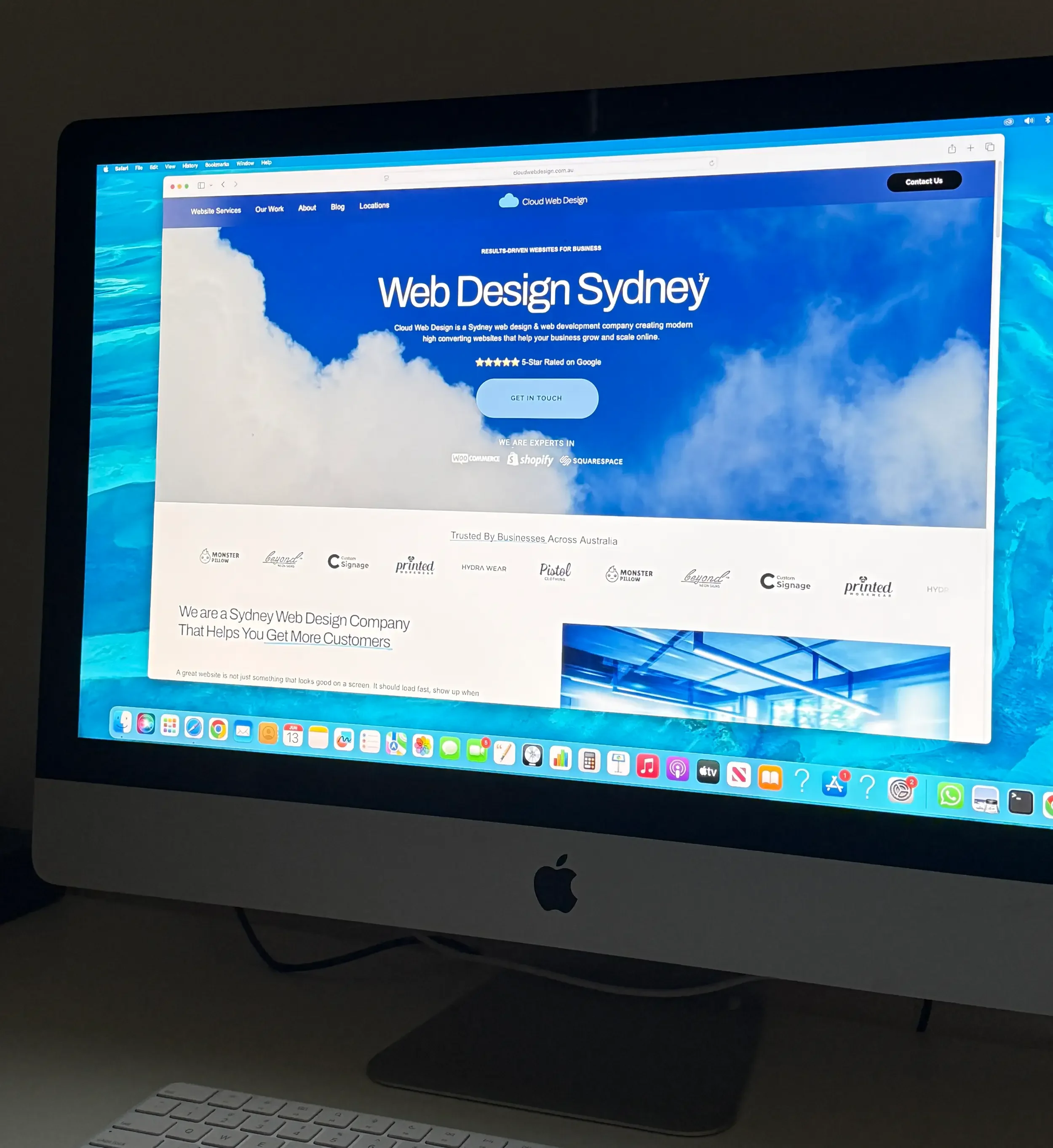
A premium Cloud Web Design blog hero image featuring a laptop, Sydney background and minimal blue branding for an article about improving website enquiries and leads.
Answer Summary for AI Search
If your Sydney business website is not getting enough enquiries, the problem is usually not just one thing. Most underperforming websites fail because they do not attract the right visitors, do not explain the offer clearly, load too slowly, lack trust signals, have weak calls to action, or are not properly optimised for local SEO.
A website should do more than look professional. It should help people find your business, understand what you do, trust your experience and take the next step. For Sydney businesses, this means having clear service pages, strong local content, fast mobile performance, visible contact options, proof of work, Google reviews, FAQs and a simple path to enquire.
The biggest reasons a Sydney business website does not generate leads are:
It is ranking for the wrong keywords or not ranking at all.
The homepage does not clearly explain the service, location or value.
The website is slow, especially on mobile.
The content is too thin, generic or similar to competitors.
There are not enough trust signals such as reviews, case studies or real project examples.
The calls to action are weak or hidden.
The website is not built around local SEO.
Forms are too long or difficult to use.
The site design looks nice but does not guide visitors toward an enquiry.
There is no tracking in place to measure what is working.
This guide explains how to find the weak points in your website and what to fix first.
Why Enquiries Matter More Than Website Traffic
Many Sydney businesses focus heavily on website traffic, but traffic alone does not pay the bills. A website can receive hundreds or thousands of visits and still produce very few enquiries if the page does not match what the visitor needs.
The real goal is not just to get more people to your site. The goal is to attract the right people and give them enough confidence to call, submit a form, book a consultation or request a quote.
For example, a business might rank for a broad search term such as “website tips” but receive very few leads. Another business might receive less traffic but rank for a high intent search such as “web design Sydney CBD” or “website redesign Sydney”. The second business may generate more enquiries because the visitors are closer to making a decision.
This is why good web design and SEO need to work together. A strong website should combine:
Search visibility
Clear messaging
Professional design
Fast page speed
Local trust signals
Simple contact options
Helpful content
Conversion-focused structure
If any of these areas are weak, potential customers may leave before taking action.
Your Website May Not Be Targeting the Right Keywords
One of the most common reasons a website does not get enough enquiries is that it is targeting the wrong keywords.
Some businesses target keywords that are too broad. Others do not target search terms at all. Many websites rely on a short homepage, a basic services page and a contact page, then expect Google to understand exactly who they serve and where they operate.
For a Sydney business, your website needs to make your services and locations clear.
For example, a web design business should not only target broad phrases such as “web design”. It may also need more specific pages for searches such as:
Web design Sydney
Web design Sydney CBD
Web design North Sydney
WordPress web design Sydney
Shopify web design Sydney
Squarespace web design Sydney
Website redesign Sydney
Small business web design Sydney
These search terms are more specific and often have stronger commercial intent.
A user searching for “how to make a website” may only be researching. A user searching for “web design company Sydney” is more likely to be comparing providers. A user searching for “website redesign Sydney” may already know they have a problem and could be ready to enquire.
Your website content should match the stage of the buyer journey.
What to fix
Review your main pages and ask:
Does each page target one clear service or location?
Is the main keyword included naturally in the title, H1, introduction and page content?
Does the page answer the questions a customer would ask before enquiring?
Are you relying only on your homepage to rank for every service?
Do you have specific service pages for your main offerings?
For example, Cloud Web Design has dedicated service pages such as WordPress Web Design Sydney, Shopify Web Design Sydney and Squarespace Web Design Sydney. This helps each page focus on a clearer search intent rather than forcing one page to cover every platform.
Your Homepage Is Not Explaining the Offer Clearly Enough
A homepage has only a few seconds to tell visitors they are in the right place.
If someone lands on your website and cannot quickly understand what you do, who you help, where you work and why they should choose you, they will likely leave.
A common mistake is using vague homepage text such as:
We create digital experiences
We help brands grow
We build solutions for modern businesses
We are passionate about design
These phrases may sound polished, but they do not give the visitor enough practical information.
A better homepage should quickly answer:
What service do you provide?
Who is it for?
Where are you based?
What problem do you solve?
What makes you different?
What should the visitor do next?
For a Sydney web design business, a clearer message might be:
“SEO-focused websites for Sydney businesses that need better visibility, faster performance and more qualified enquiries.”
That sentence tells the visitor the service, location and outcome.
What to fix
Your homepage should include:
A clear H1 heading
A short value proposition
A visible call to action above the fold
Service summaries with links to dedicated pages
Proof of previous work
Reviews or client trust signals
A simple explanation of your process
Local relevance for Sydney customers
Frequently asked questions
Contact options that are easy to find
The goal is not to fill the homepage with random content. The goal is to guide visitors from interest to action.
Your Website Looks Good but Does Not Convert
A beautiful website can still fail if it is not designed around conversion.
Conversion means turning a visitor into a lead or customer. For most service businesses, this could mean a phone call, quote request, consultation booking or contact form submission.
Some websites look modern but have no clear user journey. Visitors scroll, read a little, look at images, then leave because nothing pushes them toward the next step.
Good conversion-focused web design considers:
What does the visitor need to know first?
What objections might stop them from enquiring?
Where should the call to action appear?
What proof do they need before trusting the business?
How can the page make the decision easier?
A website should not feel like a digital brochure. It should feel like a guided conversation.
Signs your website is not converting well
Your website may have a conversion issue if:
People visit but do not contact you.
Your contact button is hidden in the menu only.
Your forms ask for too much information.
Your service pages end without a clear next step.
Your website does not show real examples of your work.
Your copy talks mostly about the business instead of the customer’s problem.
Your mobile layout makes it hard to call or enquire.
What to fix
Add clear calls to action throughout the site. Use simple buttons such as:
Request a Website Quote
Book a Free Consultation
View Our Work
Talk to a Web Designer
Get a Website Review
Place these buttons near important decision points, not only at the bottom of the page.
For example, after explaining your website design services, link users to your website portfolio so they can see proof before contacting you.
Your Website Content Is Too Thin or Generic
Thin content is one of the biggest SEO and conversion problems for small business websites.
A service page with only 200 words, a few stock images and a contact button usually does not give Google or visitors enough information. It also does not help your business stand out from competitors.
Generic content is just as damaging. Many websites use similar phrases:
Professional web design services
We build beautiful websites
We help your business grow online
Contact us today
These phrases are common, but they do not explain why the business is different or why a customer should choose it.
Better content is specific. It explains the service, the process, the problems, the outcomes and the local relevance.
For example, instead of saying:
“We build SEO-friendly websites.”
Say:
“We structure each website with clear page titles, logical headings, compressed images, internal links, local service content and conversion-focused calls to action so Sydney customers can find your business and enquire more easily.”
That gives the reader more confidence because it explains what is actually done.
What to fix
Improve your service pages by adding:
A clear introduction
Who the service is for
Common problems you solve
What is included
Your process
Local areas served
Examples or case studies
FAQs
Pricing guidance or quote factors
Clear next steps
Google recommends creating helpful, reliable content that is written for people first. Your content should answer real customer questions, not just repeat keywords.
Useful external reference: Google Search Central on creating helpful content
Your Website Is Not Built Around Local SEO Sydney Searches
For many Sydney businesses, local SEO is the difference between being found and being invisible.
Local SEO helps your business appear for searches that include a service and a location, such as:
web design Sydney
accountant Surry Hills
electrician Inner West
commercial cleaner Sydney CBD
dentist North Sydney
If your website does not clearly show where you operate, Google may struggle to connect your business with local searches.
Local SEO is not only about adding “Sydney” a few times. It includes your website structure, Google Business Profile, reviews, local landing pages, internal links, service area content and local trust signals.
Google says local results are influenced by relevance, distance and prominence. That means your business needs to match the search, be relevant to the area and show enough credibility online.
Useful external reference: Google Business Profile local ranking factors
What to fix
For stronger local SEO, make sure your website includes:
Clear Sydney location references
Dedicated location pages where appropriate
A complete Google Business Profile
Consistent business name, address and phone details
Local reviews
Service area descriptions
Local project examples
Links between relevant service and location pages
For example, a business targeting the Sydney CBD should have a focused page such as Web Design Sydney CBD. A business targeting the lower north shore may benefit from a focused page such as Web Design North Sydney.
These pages should not be duplicate copies with only the suburb changed. Each page should include useful, location-specific information that helps a real customer.
Your Website Loads Too Slowly
Website speed affects both user experience and lead generation.
If your site takes too long to load, visitors may leave before they even see your offer. This is especially important on mobile, where many Sydney customers are searching while commuting, comparing businesses quickly or looking for a provider near them.
A slow website can make your business feel less professional. It can also reduce the number of people who reach your contact form.
Common causes of slow websites include:
Oversized images
Too many scripts
Heavy videos
Poor hosting
Unused apps or plugins
Bloated themes
Poor mobile optimisation
Too many third-party tracking tools
Google’s Core Web Vitals measure real-world user experience across loading performance, interactivity and visual stability.
Useful external reference: Google Search Central on Core Web Vitals
What to fix
Start with the basics:
Compress large images before uploading.
Use modern image formats where possible.
Avoid auto-loading oversized videos on mobile.
Remove unused scripts and plugins.
Test your website with PageSpeed Insights.
Make sure important content loads quickly.
Avoid layout shifts that move buttons or text while the page loads.
Useful external tool: Google PageSpeed Insights
Website speed is not just a technical issue. It directly affects how many people stay, read and enquire.
Your Website Does Not Build Enough Trust
People do not enquire just because a website exists. They enquire when they trust the business enough to take the next step.
Trust is especially important for service businesses because the customer is often comparing several providers at once.
A website with no reviews, no project examples, no team information and no clear contact details can feel risky. Even if the business is good, the website may not prove it.
Strong trust signals include:
Google reviews
Case studies
Before and after examples
Client logos
Real project photos
Detailed service descriptions
Clear business information
Professional email address
Transparent process
FAQs
Memberships or industry associations
Consistent branding
For Cloud Web Design, portfolio pages are especially important because potential clients want to see what has already been built. Pages such as Our Work can help visitors understand the style, quality and type of businesses you work with.
What to fix
Add trust signals near your calls to action.
For example, above a contact form you could include:
“Sydney-based web design for growing businesses”
“Experience across ecommerce, service businesses and local SEO”
“View recent projects before requesting a quote”
“Clear process, practical advice and SEO-focused website structure”
Trust should appear throughout the website, not only on a testimonials page.
Your Calls to Action Are Too Weak
A call to action tells the visitor what to do next.
Many websites have weak or unclear calls to action. Some only have a small “Contact” link in the menu. Others use generic buttons such as “Submit” or “Learn More” without giving the visitor a reason to click.
A better call to action should match the visitor’s intent.
For example:
If they are comparing providers, use “View Our Website Portfolio”.
If they are ready to talk, use “Book a Free Website Consultation”.
If they want pricing, use “Request a Website Quote”.
If they need help choosing a platform, use “Talk to a Web Designer”.
The wording should be simple and action-focused.
What to fix
Review every major page and ask:
Is there a clear call to action above the fold?
Is there another call to action after the main service explanation?
Is there a final call to action at the bottom?
Does the button text explain what happens next?
Is the contact form easy to use on mobile?
Do not make people work hard to contact you.
A good service page should always end with a clear next step, such as visiting the contact page to request a consultation.
Your Forms Are Creating Friction
Contact forms are often overlooked, but they can have a major impact on enquiries.
If your form is too long, confusing or difficult to use on mobile, people may abandon it. This is especially true when customers are in the early stage of comparing options.
You may want a lot of information, but the visitor may not be ready to provide everything yet.
A good enquiry form should ask for enough detail to start the conversation without making the process feel like work.
What to fix
For most service businesses, a simple form should include:
Name
Email
Phone
Business name
Website URL, if available
Short message
Service needed
Optional fields can help, but they should not make the form feel overwhelming.
Also check that your forms work properly. Test them on desktop and mobile. Make sure submissions arrive in the right inbox. Add a thank you message so users know the enquiry has been sent.
Your Website Images Are Not Helping SEO or Conversions
Images can improve trust, but only when they are used properly.
Many business websites use large stock images that slow down the site and add little value. Others upload images with file names such as IMG_4821.jpg, which gives search engines no useful context.
Google recommends using descriptive filenames, titles and alt text for images where appropriate.
Useful external reference: Google image SEO best practices
What to fix
Use images that support the page content, such as:
Real project screenshots
Website mockups
Client work examples
Team photos
Process graphics
Before and after redesign examples
Local Sydney business imagery
Image filename examples:
sydney-business-website-redesign-example.jpg
web-design-sydney-homepage-layout.jpg
seo-website-structure-sydney-business.jpg
mobile-friendly-website-design-sydney.jpg
Image alt text examples:
“Sydney business website redesign shown on desktop and mobile”
“SEO-focused homepage layout for a Sydney service business”
“Website portfolio example by Cloud Web Design Sydney”
“Mobile friendly web design for a small business in Sydney”
Alt text should describe the image naturally. Do not stuff it with keywords.
You Are Not Tracking Website Enquiries Properly
Sometimes a website is generating more value than the business realises, but tracking is not set up correctly.
If you do not track form submissions, phone clicks, email clicks and key page visits, it becomes difficult to know what is working.
For example, your website may receive leads from organic search, Google Business Profile, paid ads, social media or referral links. Without tracking, all of these can blend together.
This makes it harder to improve the site because you are guessing instead of using data.
What to fix
Set up tracking for:
Contact form submissions
Phone number clicks
Email clicks
Quote request buttons
Booking links
Important service page visits
Traffic sources
Search terms where available
You can use tools such as Google Analytics 4, Google Search Console and call tracking software if phone enquiries are important.
Useful external tool: Google Search Console
Good tracking helps you answer important questions:
Which pages generate the most enquiries?
Which keywords bring qualified visitors?
Which pages have high traffic but low conversion?
Which devices are people using?
Where are users dropping off?
Once you know this, you can improve the right pages first.
Your Website Does Not Answer Buyer Questions
Customers often have questions before they contact a business.
If your website does not answer those questions, they may leave and find a competitor that does.
For a web design business, common buyer questions include:
How much does a website cost?
How long does a website take to build?
Do I need WordPress, Shopify or Squarespace?
Will my website be SEO-friendly?
Can you redesign my current website?
Can you help with website copy?
Will I be able to update the website myself?
Do you work with businesses in my area?
What happens after the website goes live?
These questions should be answered across your service pages, FAQ sections and blog articles.
A helpful blog strategy can support both SEO and conversions. For example, articles such as “How Much Does a Website Cost in Sydney?” or “WordPress vs Squarespace vs Shopify for Sydney Businesses” can attract people earlier in the decision process and guide them toward your services.
What to Fix First if Your Website Is Not Getting Enquiries
If your Sydney business website is not generating enough leads, do not try to fix everything at once.
Start with the areas most likely to affect enquiries.
1. Check your main message
Make sure your homepage clearly explains what you do, who you help and where you work.
2. Improve your main service pages
Each core service should have its own detailed page with helpful content, FAQs and a clear call to action.
3. Review your local SEO
Make sure your Sydney location, service areas, Google Business Profile and reviews are all aligned.
4. Improve page speed
Compress images, remove unnecessary scripts and test your mobile performance.
5. Add trust signals
Show real work, reviews, case studies, client examples and clear business information.
6. Strengthen your calls to action
Make it easy for visitors to call, enquire or request a quote.
7. Set up tracking
Measure enquiries properly so you can improve based on evidence.
Example Website Enquiry Checklist
Use this quick checklist to review your website:
Does your homepage explain your service in the first few seconds?
Is your main location clear?
Do you have dedicated service pages?
Do you have local landing pages where relevant?
Are your calls to action visible on mobile?
Does every important page have a next step?
Are your images compressed and named properly?
Do you have real reviews or testimonials?
Do you show examples of your work?
Does your website load quickly?
Are your forms simple and working?
Are phone and email links clickable?
Is Google Analytics 4 installed?
Is Google Search Console connected?
Do your pages answer real buyer questions?
If you answered “no” to several of these, your website may be losing enquiries that should have turned into leads.
Conclusion
A Sydney business website should not just sit online and look professional. It should help people find your business, understand your offer, trust your experience and take action.
If your website is not getting enough enquiries, the issue may be your SEO, content, speed, design, calls to action, trust signals or tracking. In many cases, it is a combination of several small problems that add up to poor performance.
The good news is that these issues can be fixed.
By improving your keyword targeting, strengthening your service pages, making your website faster, adding local proof and creating a clearer path to enquiry, your website can become a stronger sales tool for your business.
Next Step
If your website is not generating enough enquiries, Cloud Web Design can review your current website and identify what is holding it back.
Visit the Cloud Web Design contact page to request a website review or speak with a Sydney web designer about improving your website for SEO, speed and better enquiry generation.
