
How We Improved Printed Workwear’s Google PageSpeed After a Hosting Migration

WooCommerce Speed Optimisation Sydney: Printed Workwear PageSpeed Case Study
Short answer
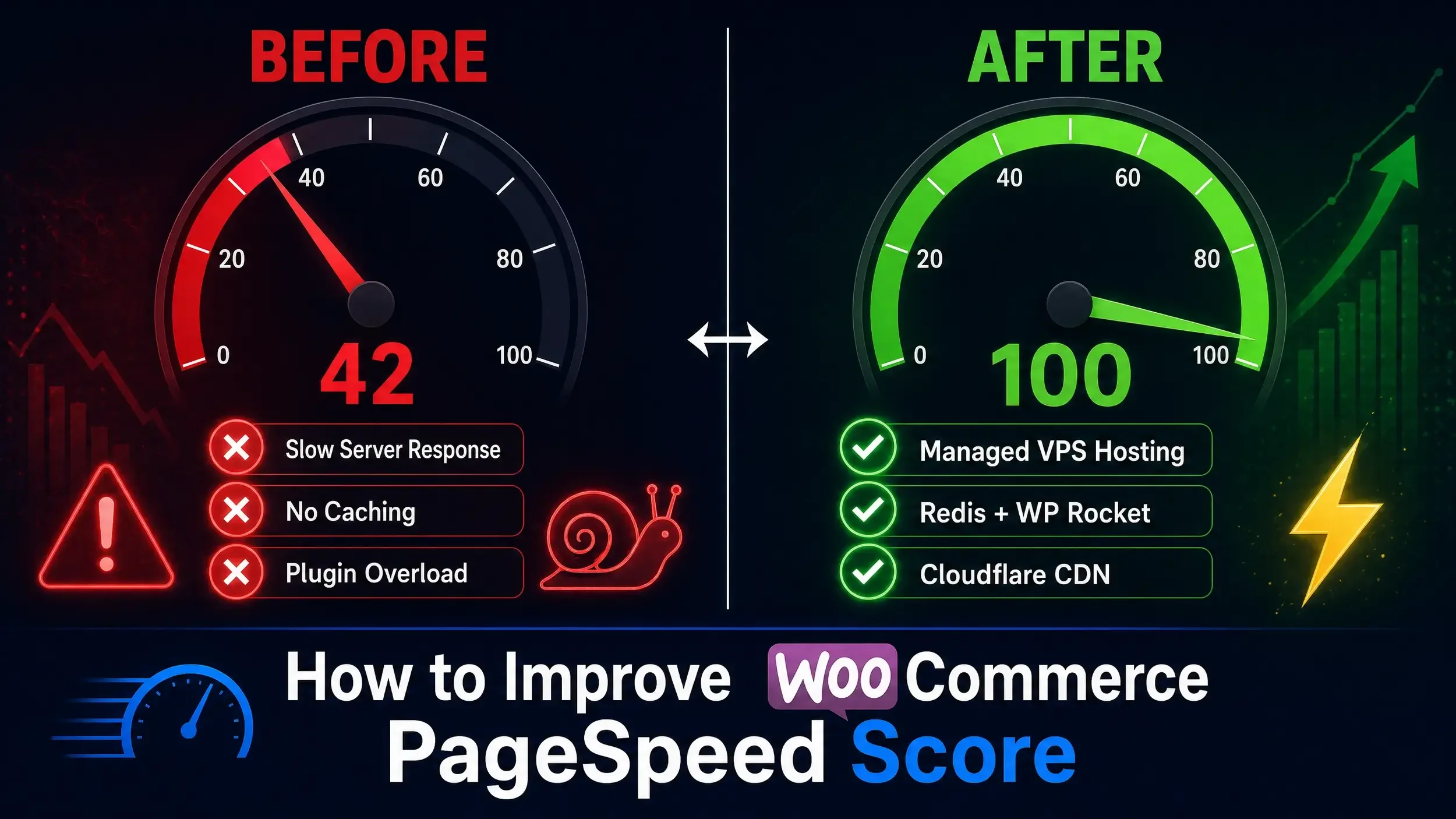
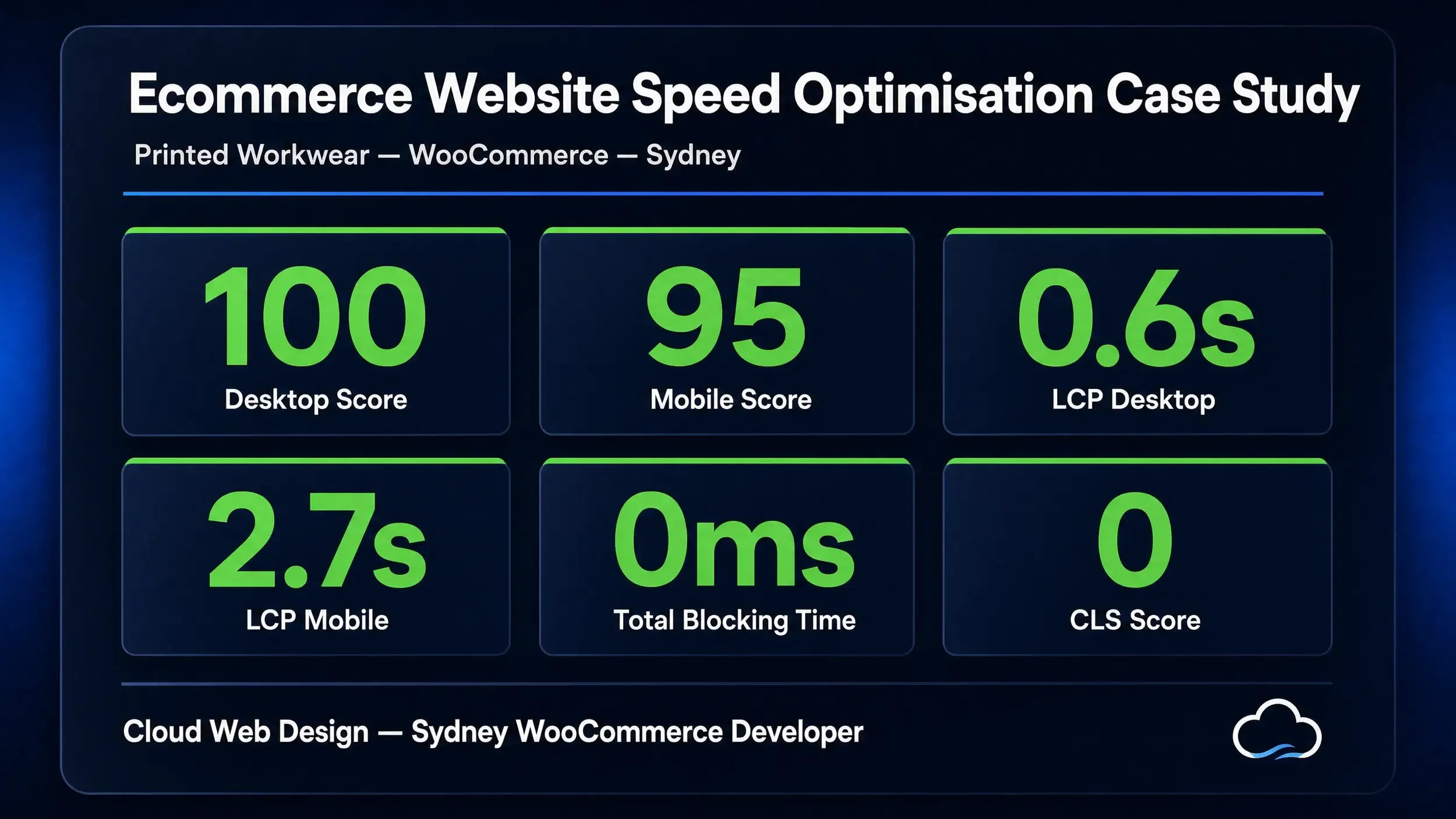
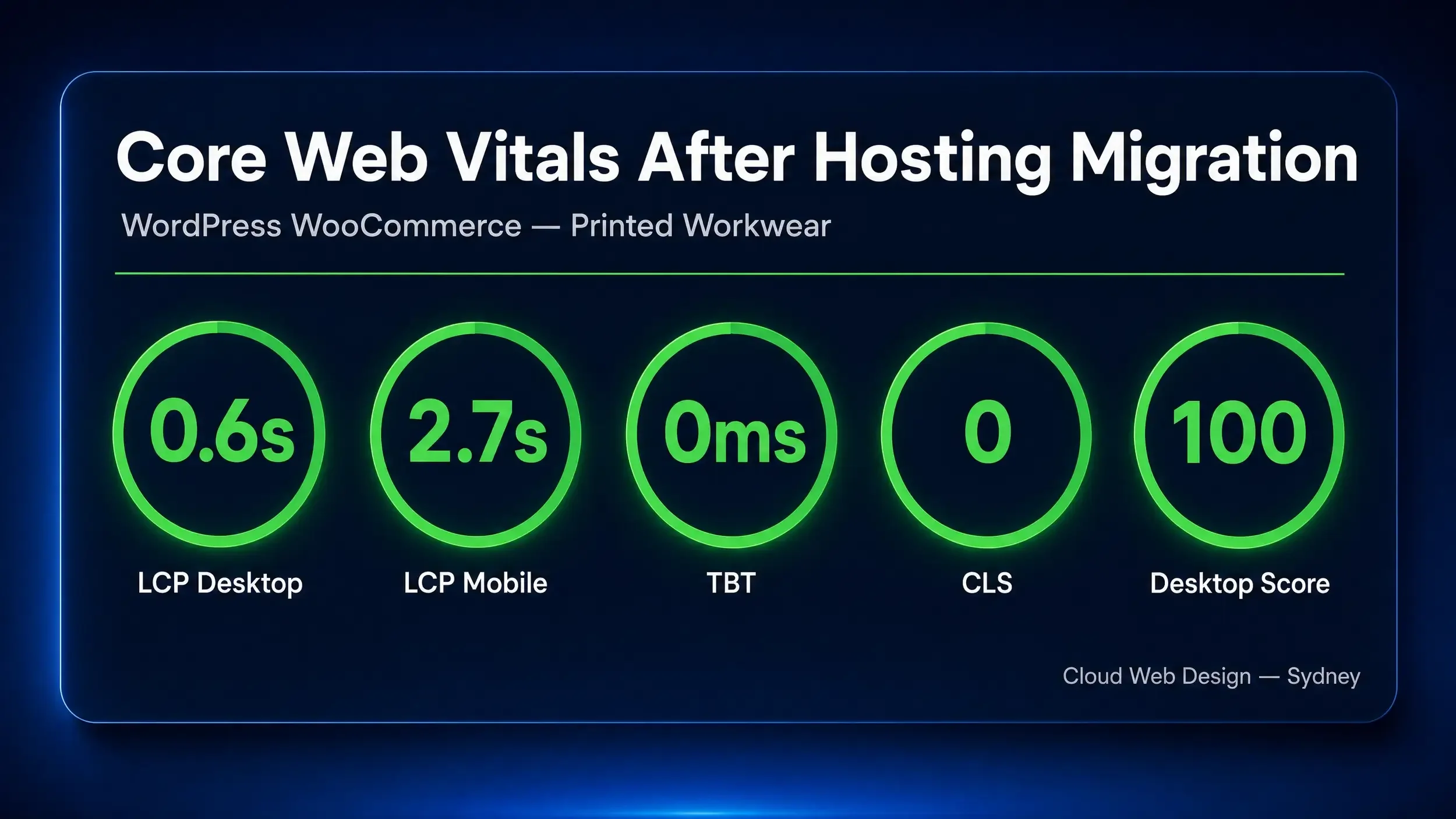
Cloud Web Design improved Printed Workwear’s Google PageSpeed results by moving the WooCommerce website to a stronger managed VPS hosting environment, configuring caching, Redis object cache, Cloudflare, image optimisation, plugin cleanup and WooCommerce performance fixes. After the work, the homepage achieved a 95 mobile performance score and 100 desktop performance score in Google PageSpeed Insights lab testing, based on the live screenshots captured after the migration.
For a large WooCommerce website with hundreds of products, filters, scripts and ongoing traffic, the biggest win was not one single plugin. It was improving the full stack: hosting, caching, database load, frontend assets, image delivery and server response.
Speak to Cloud Web Design about website speed optimisation

The client: Printed Workwear
Printed Workwear is an Australian ecommerce website selling custom workwear, embroidered uniforms, printed clothing, high vis workwear, business shirts, polos, hoodies and branded apparel.
The website is built on WooCommerce, which means performance is more complex than a small brochure website. Product pages, category filters, cart functionality, checkout scripts, customer accounts, pricing rules and product images all need to work together without slowing the site down.
Cloud Web Design already understood the website because Printed Workwear is part of our own portfolio of ecommerce and technical SEO projects. That gave us direct visibility into the real issues behind the slow load times, instead of only relying on surface-level PageSpeed suggestions.

The problem before the migration
Before the speed work, Printed Workwear was dealing with a mix of hosting, WooCommerce and frontend performance issues.
The main problems included:
Slow load times on some product and category pages
Heavy WooCommerce category filters
Large product categories with hundreds of items
A large WordPress database, including a high volume of postmeta data
Plugin load from WooCommerce extensions and pricing tools
Image size and delivery issues
Cache configuration issues
Server resource limits
Bot and traffic spikes adding extra server pressure
Google PageSpeed and Core Web Vitals issues, especially on mobile
This is common on established ecommerce websites. A WooCommerce store can look fine visually, but underneath the surface it may be carrying years of product data, plugin scripts, image files, theme code, tracking tags and database bloat.
That is why proper speed optimisation needs to go beyond “compress your images” and “install a cache plugin”.
Why we migrated the hosting
The original hosting setup was no longer giving the website enough consistent performance for a growing WooCommerce store.
A large ecommerce website needs more than cheap shared hosting. Hosting affects server response time, database performance, PHP workers, caching, traffic handling and how quickly a page can begin loading.
Google PageSpeed Insights also reports field data and lab data. Field data reflects real user experience over time, while lab data is useful for testing and debugging performance in a controlled environment.
For Printed Workwear, the goal was to build a stronger technical foundation first. That meant migrating the site to a new managed VPS hosting environment with more suitable resources for WooCommerce.
What we changed
1. Hosting migration to a stronger VPS environment
We moved Printed Workwear away from the previous hosting setup and onto a managed VPS environment better suited to a large WooCommerce store.
This helped improve:
Server response stability
Backend performance
Cache reliability
WooCommerce admin performance
Frontend load consistency
Handling of traffic spikes
Hosting is one of the biggest performance levers for ecommerce websites. Competitor research showed that other speed optimisation providers also highlight hosting as a major cause of poor performance, especially when a site is running on shared or underpowered hosting.
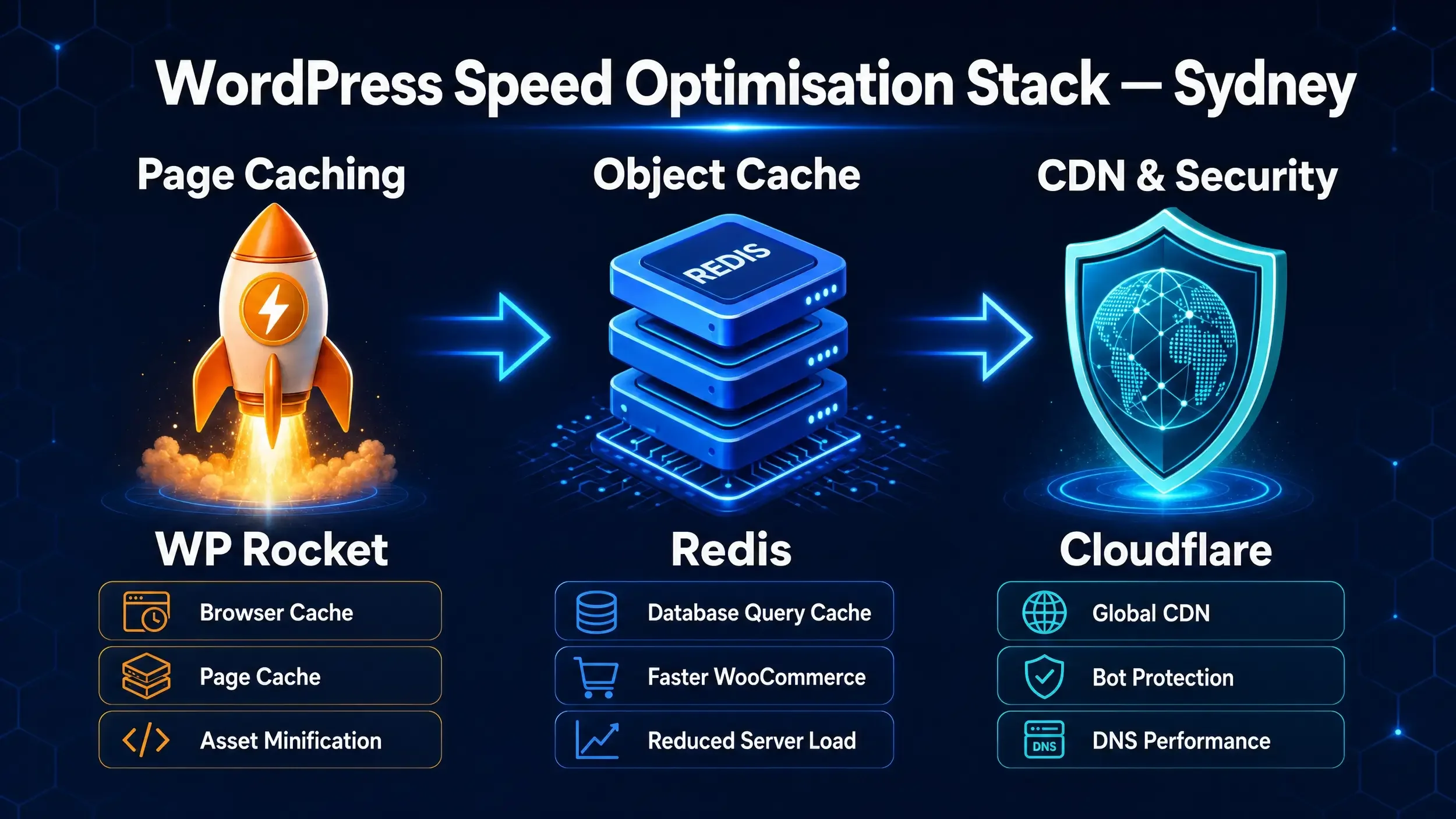
2. Redis object caching
We configured Redis object cache to reduce repeated database calls.
For WooCommerce, this matters because many pages need to pull product data, pricing, categories, variations, cart information and user session data from the database.
Redis helps by storing frequently requested database objects in memory, reducing the load on the database and improving response times.
3. WP Rocket caching
We used WP Rocket to help handle page caching, browser caching and frontend optimisation.
Caching is especially important for repeat visitors and static assets such as images, CSS and JavaScript. Browser caching allows commonly used resources to be stored locally so they do not need to be downloaded again on every visit.
4. Cloudflare configuration
We used Cloudflare to help with DNS, CDN delivery, security and traffic management.
Cloudflare also helped manage periods where the website was receiving unusual traffic or bot activity. For a busy ecommerce site, reducing unnecessary server requests can make a major difference.
5. WooCommerce filter and category review
Printed Workwear has large product categories, including categories with hundreds of products and multiple filter options.
These pages can become slow because the website needs to load product data, filter data, thumbnails, pricing, stock status and extra scripts.
We reviewed category and filter behaviour so the site could perform better without removing important ecommerce functionality.
6. Plugin and script review
One of the biggest problems with WordPress and WooCommerce speed is plugin load.
Plugins can add extra CSS, JavaScript, database queries and admin processes. Some scripts are needed, but others load across the whole website even when they are only required on one page.
As part of the optimisation work, we reviewed plugin load, unnecessary scripts and WooCommerce add-ons that were affecting performance.
This matches one of the key areas many speed optimisation providers focus on: reducing unnecessary scripts, plugins and HTTP requests.
7. Image optimisation and lazy loading
Product images are essential for ecommerce, but they can also slow down a website if they are too large or loaded too early.
We reviewed image delivery, lazy loading and compression so the homepage and product pages could load faster while still looking professional.
Image optimisation is one of the most common recommendations across speed optimisation guides because oversized images can significantly affect load time.
8. Database and WooCommerce performance cleanup
Large WooCommerce sites collect a lot of data over time, including:
Product metadata
Order data
Transients
Plugin records
Revisions
Logs
Filter URLs
Wishlist or parameter-based URLs
We reviewed database pressure and WooCommerce-specific issues that were contributing to slower page loads.
Database optimisation is especially important for large WordPress and WooCommerce websites because the database affects how quickly content, product data and page elements can be retrieved.
The live PageSpeed result
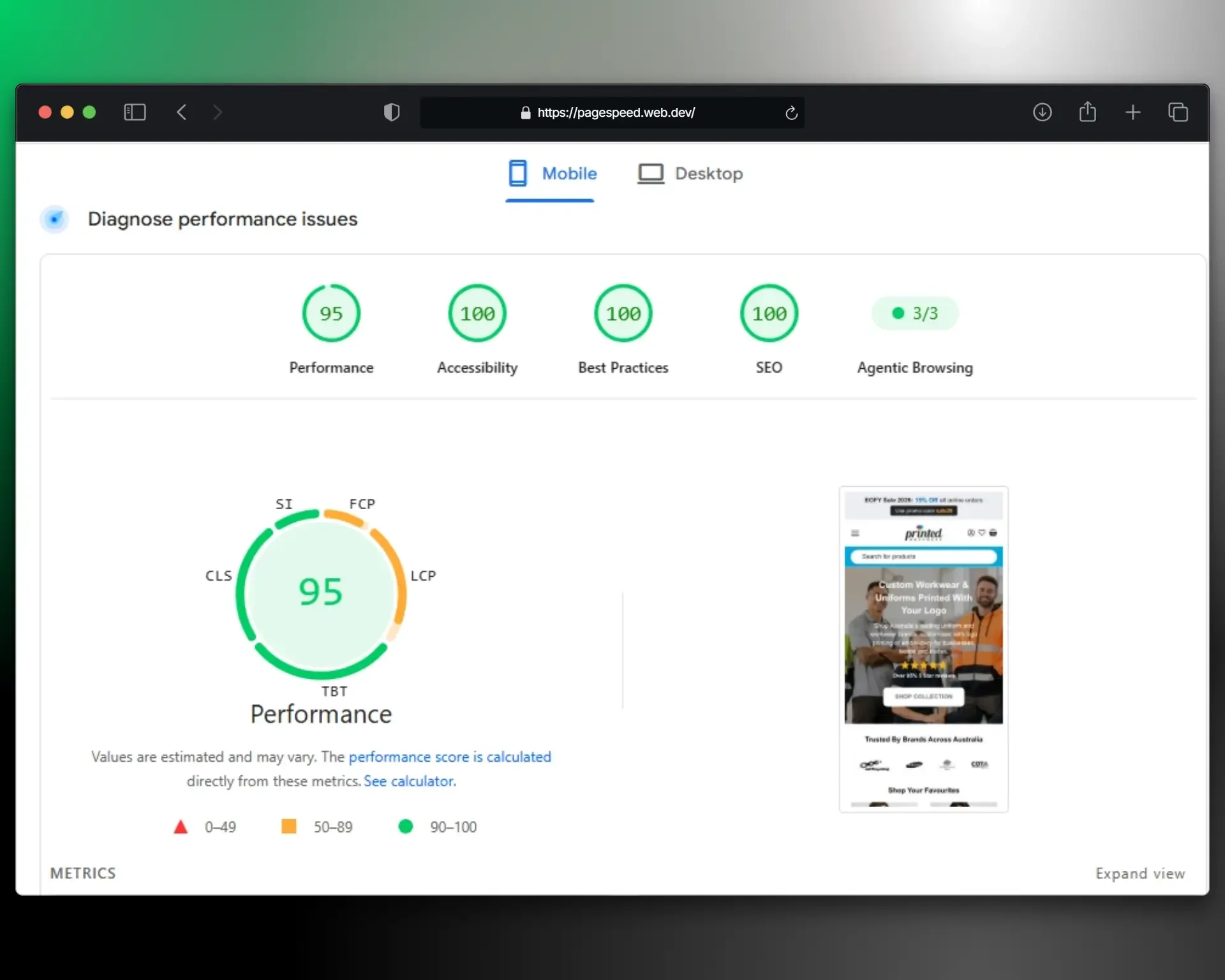
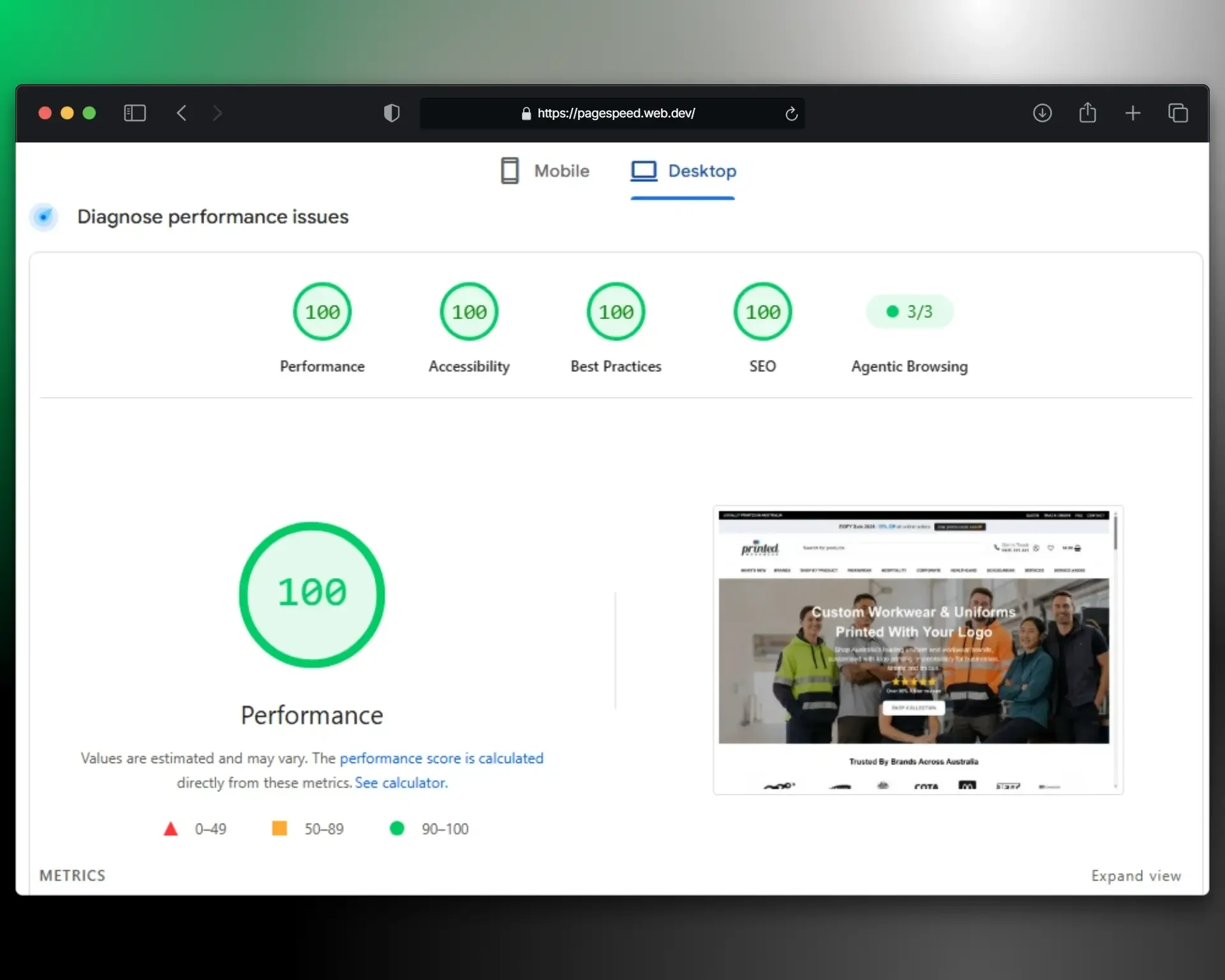
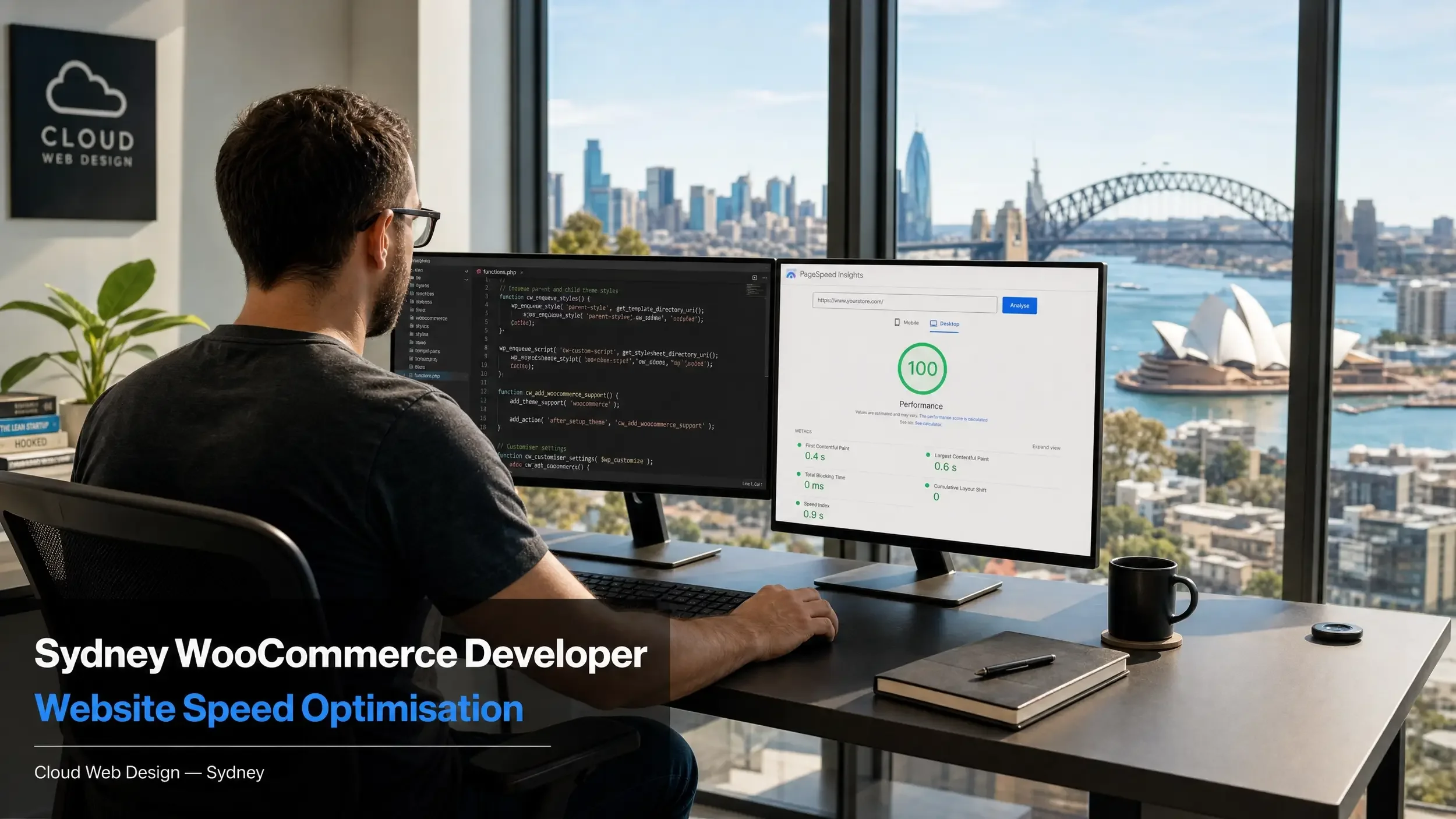
After the hosting migration and optimisation work, the attached Google PageSpeed Insights screenshots show the following lab results:
These are strong results for a real WooCommerce ecommerce website, especially one with a large product catalogue, active plugins, tracking scripts and category filtering.
Why the Core Web Vitals field data still matters
It is important to understand the difference between a PageSpeed lab score and real-user Core Web Vitals data.
The live PageSpeed report still shows the Core Web Vitals assessment as failed because Google’s field data is calculated from real Chrome user experience over the latest 28-day collection period. In the live report, Google shows the collection period as May 21, 2026 to Jun 17, 2026.
That means the field data can still include visits from before the migration and optimisation work. This is why a website can show a strong current lab score while the real-user field data takes longer to catch up.
Google’s Core Web Vitals focus on loading performance, interactivity and visual stability. Google recommends aiming for LCP within 2.5 seconds, INP under 200 milliseconds and a low CLS score for a good user experience.
For Printed Workwear, the current lab result is the immediate proof that the page is now technically loading much faster. The field data should be monitored over the following weeks as real users experience the new hosting and optimisation setup.
What made the biggest difference?
The biggest difference came from improving the foundation, not chasing one PageSpeed warning at a time.
For Printed Workwear, the key improvements were:
Moving to stronger hosting
Reducing server and database pressure
Adding Redis object caching
Configuring WP Rocket properly
Using Cloudflare for delivery and protection
Reviewing WooCommerce filters and category load
Reducing unnecessary plugin and script weight
Improving image delivery and lazy loading
This is why we approach website speed as a technical SEO and hosting project, not just a design tweak.
Why this matters for ecommerce SEO
Website speed affects more than a score.
For ecommerce websites, speed can influence:
Organic search performance
User experience
Conversion rate
Add-to-cart behaviour
Checkout completion
Google crawl efficiency
Paid ad landing page experience
Customer trust
A slow ecommerce website can waste traffic from SEO, Google Ads, Meta Ads and email marketing. If users land on a slow page, they may leave before seeing the products.
That is why we treat speed optimisation as part of conversion-focused web design.
What other businesses can learn from this case study
The Printed Workwear project shows that website speed problems are often layered.
A slow website may not be slow because of one image or one plugin. It may be slow because hosting, plugins, database size, scripts, caching and WooCommerce functionality are all working against each other.
For businesses using WordPress, WooCommerce or Shopify, the best approach is to start with a proper audit.
A good speed audit should review:
Hosting quality
Server response time
Core Web Vitals
PageSpeed Insights
Caching setup
CDN setup
Plugin load
Theme structure
Image delivery
Database size
Product/category templates
Tracking scripts
Mobile performance
That is how we find the actual cause of poor performance instead of applying generic fixes.
FAQs About the Printed Workwear PageSpeed Case Study
How did Cloud Web Design improve Printed Workwear’s PageSpeed score?
Cloud Web Design improved Printed Workwear’s PageSpeed results by migrating the WooCommerce website to stronger managed VPS hosting, configuring Redis object cache, WP Rocket, Cloudflare, image optimisation, plugin review and WooCommerce performance fixes.
Why did Printed Workwear need new hosting?
Printed Workwear had grown into a large WooCommerce store with many products, filters, plugins and database requests. The previous hosting setup was no longer giving the site the speed and stability needed for a busy ecommerce website.
What PageSpeed score did Printed Workwear achieve?
After the hosting migration and optimisation work, Google PageSpeed Insights lab testing showed a 95 mobile performance score and a 100 desktop performance score for Printed Workwear.
Why does PageSpeed still show failed Core Web Vitals?
Google’s Core Web Vitals field data is based on real user data over a rolling 28-day period. This can include visits from before the optimisation work, so field data may take time to reflect the new faster hosting and speed improvements.
What tools were used to improve the website speed?
The optimisation involved managed VPS hosting, Redis object cache, WP Rocket, Cloudflare, WooCommerce performance review, image optimisation, caching rules, plugin review and database performance improvements.
Can Cloud Web Design improve other WooCommerce websites?
Yes. Cloud Web Design works on WordPress and WooCommerce websites that need better speed, SEO structure, hosting setup, product navigation and conversion-focused page layouts.
Need help improving your website speed?
Cloud Web Design helps Sydney businesses improve website speed, SEO structure and conversion performance across WordPress, WooCommerce, Shopify and Squarespace.
Explore our services:
If your website is slow, your hosting feels underpowered or your PageSpeed score is holding back your SEO, contact Cloud Web Design for a website speed review.
